 David Ascanio
87f4f04d2c
David Ascanio
87f4f04d2c
- Add word/phrase search toggle to SearchPanel and entrelineas search inputs - Add collapsible metadata section with chevron toggle in PublicationDetail - Add internal document search toggle button to detail navbar, open by default - Add draft field support to entrelineas: hide image for draft documents unless dev mode is enabled, show draft badge in results list - Replace mobile lightbox teleport hacks with UModal for image popup in EntrelineaDetail - Fix image display in EntrelineaDetail: fixed height container with object-contain - Remove file link buttons from PublicationDetail and InboxActivity - Remove right aside column from PublicationDetail so content fills full width - Rewrite home page with explicit responsive two-column layout replacing UPageHero |
||
|---|---|---|
| .claude | ||
| app | ||
| bruno | ||
| lang | ||
| public | ||
| server/api | ||
| .gitignore | ||
| LICENSE | ||
| README.md | ||
| eslint.config.mjs | ||
| nuxt.config.ts | ||
| package-lock.json | ||
| package.json | ||
| pnpm-lock.yaml | ||
| pnpm-workspace.yaml | ||
| renovate.json | ||
| tsconfig.json | ||
README.md
Nuxt Dashboard Template

Get started with the Nuxt dashboard template with multiple pages, collapsible sidebar, keyboard shortcuts, light & dark mode, command palette and more, powered by Nuxt UI.
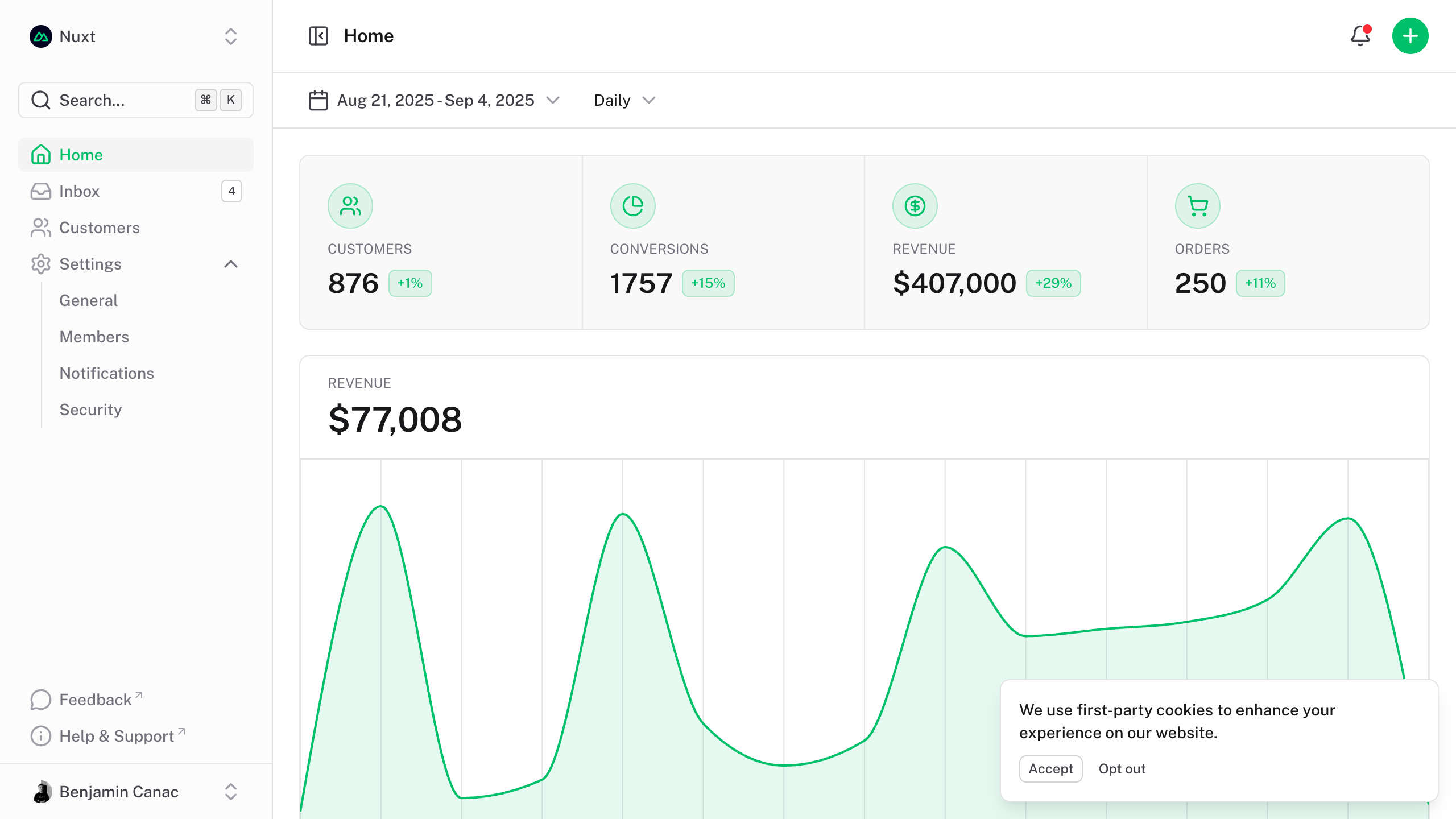
The dashboard template for Vue is on https://github.com/nuxt-ui-templates/dashboard-vue.
Quick Start
npm create nuxt@latest -- -t ui/dashboard
Deploy your own

Setup
Make sure to install the dependencies:
pnpm install
Development Server
Start the development server on http://localhost:3000:
pnpm dev
Production
Build the application for production:
pnpm build
Locally preview production build:
pnpm preview
Check out the deployment documentation for more information.
Renovate integration
Install Renovate GitHub app on your repository and you are good to go.